
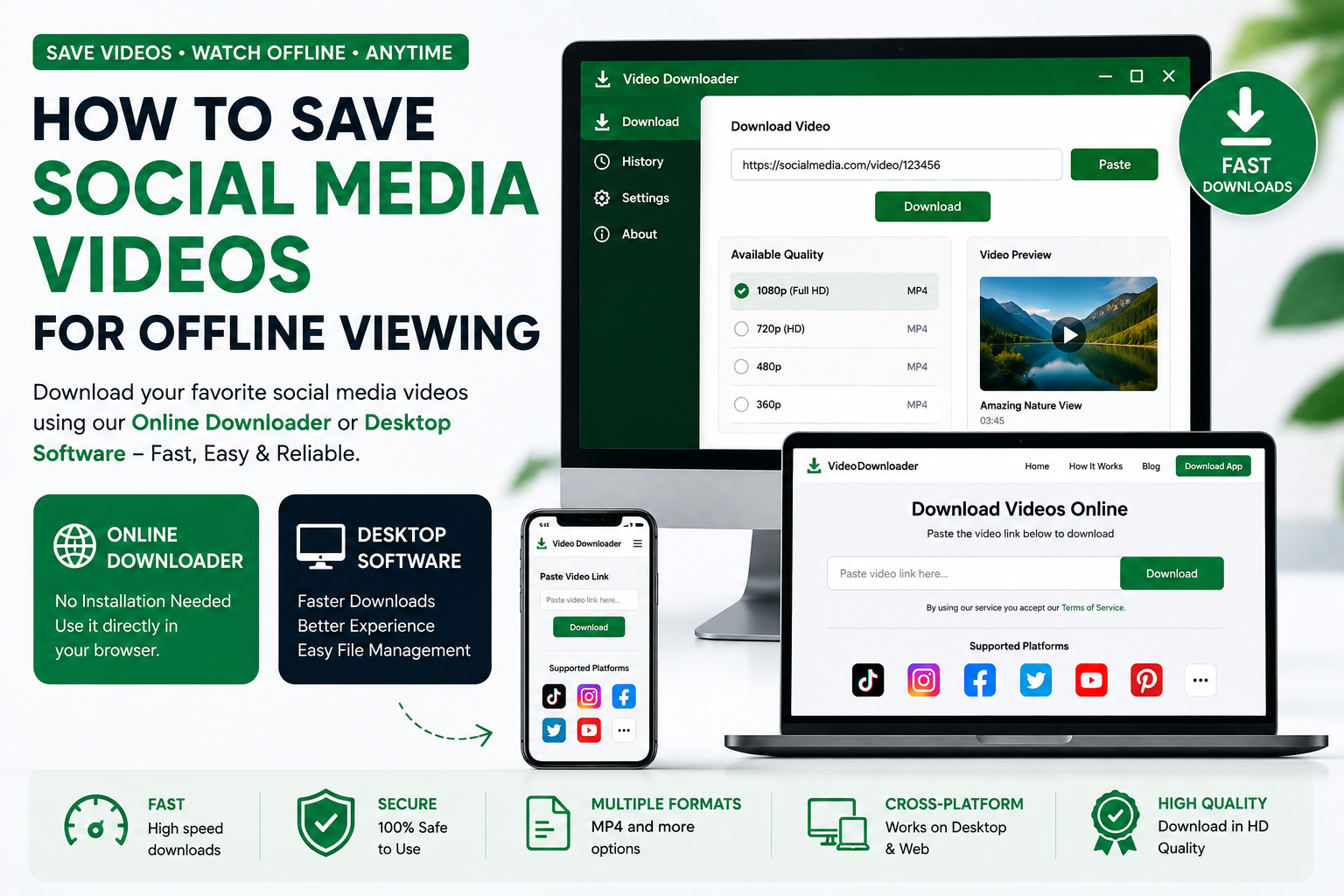
How to Save Social Media Videos for Offline Viewing
Internet access makes it easy to watch videos almost anywhere, but there are times when you may want to keep a video available for offline viewing. A reliable social media video downloader can make this process much easier.
Whether you use a desktop computer or prefer downloading directly from your browser, there are convenient options available for saving supported social media videos.
Why Save Social Media Videos for Offline Viewing?
There are many practical reasons to save videos that you are permitted to download.
You may want to:
- Watch educational videos without an internet connection
- Keep tutorials available for future reference
- Save your own social media content
- Create a personal offline video library
- Avoid repeatedly loading the same video online
- Keep permitted content available while traveling
- Organize useful videos on your computer
Downloading a video can be especially convenient when internet access is limited or unreliable.
How Does a Social Media Video Downloader Work?
Most video downloaders use a simple URL-based process.
You provide the downloader with the link to a supported social media video. The service then processes the URL and, when supported, provides available download options.
The general process looks like this:
Copy URL → Paste URL → Process Video → Choose Option → Download
This makes video downloading accessible even if you have little or no technical experience.
How to Download a Social Media Video Online
The web-based method is one of the simplest ways to save a supported video.
Step 1: Find the Video
Open the social media platform and locate the video you want to save.
Step 2: Copy the Link
Use the platform's sharing options to copy the video URL.
Step 3: Open the Downloader
Open the online social media video downloader in your browser.
Step 4: Paste the URL
Paste the copied link into the downloader's URL field.
Step 5: Start Processing
Click the download or process button and wait for the available options.
Step 6: Download the Video
Select an available quality or format and save the video to your device.
That's it. You can then access the downloaded file from your computer when you are offline.
How to Download Videos Using Desktop Software
If you regularly download social media videos, desktop software can provide a more dedicated experience.
The typical workflow is similar:
- Open the desktop downloader.
- Copy the supported social media video URL.
- Paste the URL into the application.
- Start the download process.
- Select the available quality or format.
- Save the file to your preferred folder.
Desktop software can be particularly useful if you frequently manage multiple downloaded videos.
Online Downloader or Desktop Software: Which Should You Use?
Both options are useful, but they serve slightly different purposes.
Choose an Online Downloader If:
- You want a quick download
- You do not want to install software
- You download videos occasionally
- You prefer using your browser
- You want access without setting up an application
Choose Desktop Software If:
- You download videos frequently
- You want a dedicated application
- You prefer managing downloads from your computer
- You want a more consistent desktop workflow
Having both options gives you flexibility depending on your situation.
How to Choose the Right Video Quality
Many video downloaders provide different quality options when available.
For example, you may see options such as:
- 360p
- 480p
- 720p
- 1080p
- Higher resolutions when supported
Higher quality usually means a larger file size. If you are saving a video for casual offline viewing, a moderate resolution may be enough.
For videos where visual quality is important, choose the highest suitable option available from the source.
What Is the Best Format for Downloaded Videos?
MP4 is one of the most commonly used video formats because it is compatible with many computers, smartphones, tablets, browsers, and media players.
However, available formats depend on the original content and the downloader's supported options.
Before downloading, check which formats are offered and choose the one that works best with your intended device.
How to Organize Downloaded Social Media Videos
If you download videos regularly, good file organization can save time.
Consider creating folders such as:
- Educational Videos
- Tutorials
- Entertainment
- Work & Projects
- Personal Videos
- Reference Material
You can also rename files with descriptive names instead of keeping automatically generated filenames.
For example:
video_12345.mp4
could become:
Laravel_API_Tutorial.mp4
This makes finding your saved videos much easier later.
Why Use Desktop Software for Frequent Downloads?
A desktop application can be useful for users who download content regularly because everything is handled from one dedicated interface.
Instead of repeatedly opening a browser and navigating to a website, you can launch the application, paste the link, and manage the download from your desktop.
This can create a more streamlined workflow for frequent users.
Can I Download Social Media Videos Without an Account?
If the downloader supports the video and the content is publicly accessible, you may be able to download it without logging into the social media platform through the downloader.
However, requirements can vary depending on the platform and type of content.
Never provide your social media password to an unofficial downloader.
Why Isn't My Video Downloading?
Sometimes a video URL may not work as expected.
Possible reasons include:
- The URL was copied incorrectly
- The platform is not currently supported
- The video has been removed
- The content is private or restricted
- The URL format is unsupported
- The platform has changed its technical systems
- The video is temporarily unavailable
Try copying the link again and make sure the content is publicly accessible and supported.
Can I Download Private Videos?
Private or restricted videos may not be available through a downloader.
Privacy and access controls should always be respected. A downloader should not be used to bypass authentication, privacy settings, or other access restrictions.
Only download content that you are authorized to save.
Frequently Asked Questions
How do I save a social media video to my computer?
Copy the URL of a supported video, paste it into an online video downloader or desktop application, and select an available download option.
Can I download social media videos for offline viewing?
Yes, supported videos can be downloaded for offline viewing when you have permission to save the content and the platform allows the download.
Do I need to install a video downloader?
No. An online downloader can work directly in your browser. Desktop software is an alternative for users who prefer a dedicated application.
What is the easiest video downloader method?
For occasional downloads, copying a video URL and using an online downloader is usually the simplest method.
Can I download videos in 1080p?
If the original video provides 1080p and the downloader supports that quality, a 1080p option may be available.
What format should I use for offline videos?
MP4 is a popular choice because it works with a wide range of devices and media players. The available formats depend on the source and downloader.
Can I download videos on a laptop?
Yes. You can use an online video downloader through your laptop's browser or use compatible desktop software.
Why should I use desktop video downloader software?
Desktop software can provide a dedicated interface and a convenient workflow for people who frequently download and manage videos on their computers.
Are social media video downloads legal?
This depends on the content, copyright ownership, platform rules, and intended use. Download content only when you have the necessary rights or permission and follow the relevant platform terms.
Best Practices for Downloading Social Media Videos
Before downloading a video, consider these simple best practices:
Check the source: Make sure the video comes from a legitimate source.
Respect copyright: Do not redistribute copyrighted material without permission.
Respect privacy: Do not download or share private content without authorization.
Use trusted software: Avoid suspicious applications, files, and websites.
Keep your downloads organized: Use clear filenames and folders so your saved content is easy to find.
Final Thoughts
Saving social media videos for offline viewing does not have to be complicated. With an easy-to-use online video downloader, you can download supported content directly from your browser. If you download videos regularly, desktop downloader software can provide an even more convenient workflow.
Simply copy the video URL, paste it into the downloader, choose an available option, and save the file to your computer.
Always use video downloading tools responsibly and respect the rights, privacy, and terms associated with the content you download.