
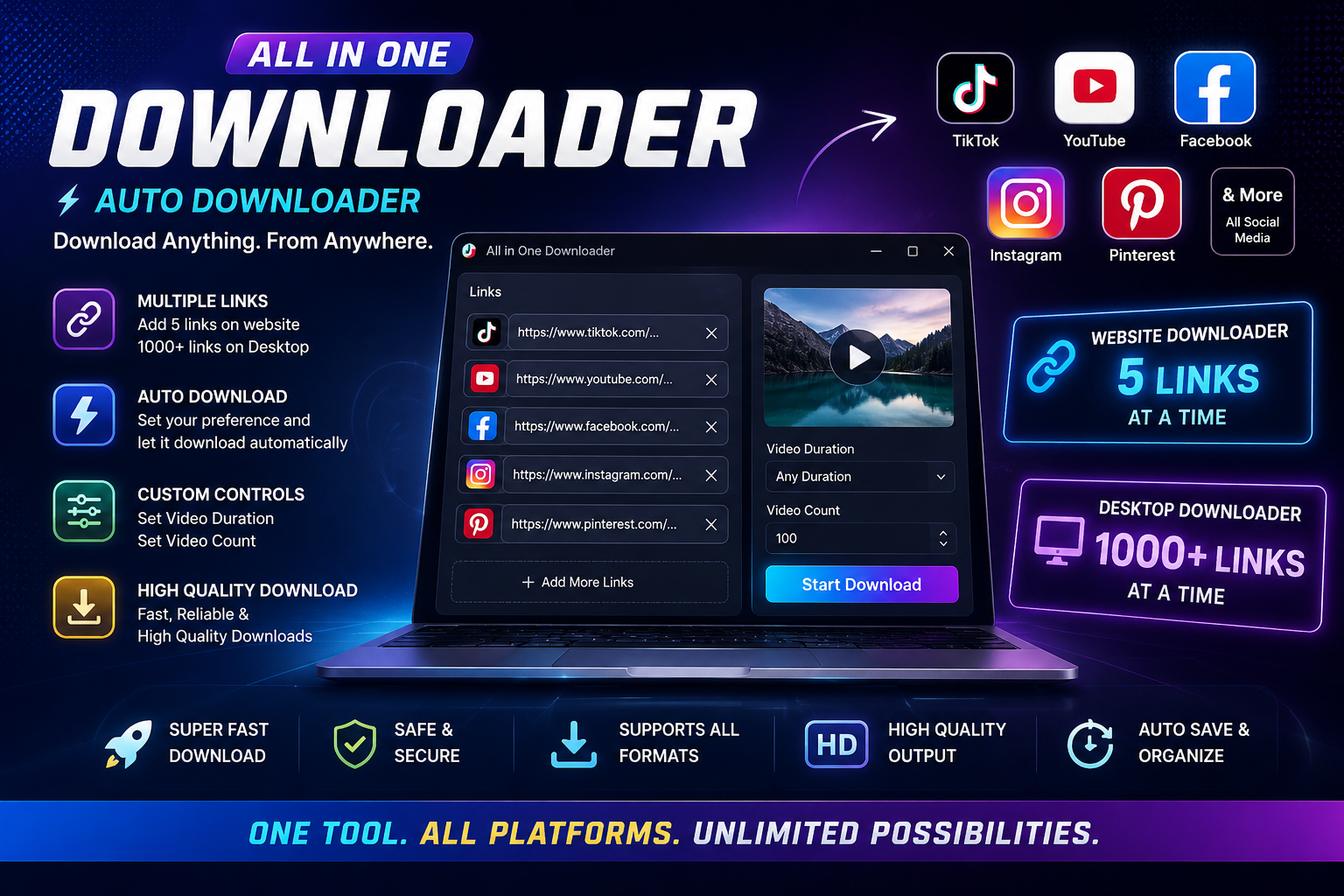
How to Download Online Videos: The Complete Video Downloader Guide
Online video has become an essential part of everyday life. People watch videos on TikTok, YouTube, Facebook, Instagram, and Pinterest for entertainment, education, inspiration, tutorials, and more.
Sometimes you may want to save a video for offline viewing, personal organization, editing your own content, or future reference. However, downloading videos can be confusing when every platform has a different interface.
That's where an online video downloader can make the process easier.
In this guide, we'll explain how video downloading works, how to download supported videos from popular platforms, what video quality means, and how to choose a reliable video downloader.
What Is an Online Video Downloader?
An online video downloader is a tool that helps users save supported online videos to their devices.
Instead of manually searching through complicated options, a video downloader typically allows you to copy a video URL, paste it into the downloader, and select an available download option.
A modern video downloader can support multiple platforms from one interface, making it easier to manage video downloads.
Popular platforms that may be supported include:
TikTok
YouTube
Facebook
Instagram
Pinterest
The exact availability of a download depends on the source, URL, content type, and applicable platform restrictions.
Why Do People Download Online Videos?
There are many legitimate reasons people save online videos.
Offline Viewing
Saving permitted content can allow you to watch it later when you don't have a reliable internet connection.
Personal Organization
You may want to organize videos you own or are allowed to save into folders for easier access.
Content Creation
Creators may need to download their own previously published videos for editing, backups, or repurposing.
Research and Education
Students, researchers, and professionals may save permitted educational material for reference.
Backup
Downloading your own published videos can provide an additional copy of important content.
Always make sure that you have the necessary rights or permission before downloading and using someone else's content.
How to Download an Online Video
The process is usually straightforward.
Step 1: Find the Video
Open the TikTok, YouTube, Facebook, Instagram, or Pinterest video you want to save.
Step 2: Copy the Video URL
Use the platform's share or copy-link option to copy the URL.
Step 3: Open the Video Downloader
Open your preferred downloader and locate the video URL input field.
Step 4: Paste the Link
Paste the copied URL into the downloader.
Step 5: Detect the Video
The downloader processes the supported URL and identifies the available video information.
Step 6: Select Quality
If multiple options are available, choose the resolution or format you prefer.
Step 7: Download the Video
Start the download and save the file to your device.
The entire process can take only a few moments depending on the video, source, file size, internet connection, and downloader.
How to Download TikTok Videos
TikTok is one of the largest sources of short-form video content.
If you want to save a TikTok video that you own or have permission to download, copy its URL and paste it into a compatible TikTok video downloader.
Depending on the available source, you may see different quality or format options.
A multi-platform downloader is particularly convenient if you also download content from other social media platforms.
How to Download YouTube Videos
YouTube contains millions of videos covering tutorials, education, entertainment, technology, gaming, music, reviews, and more.
For content that you own or are permitted to download, copy the supported YouTube video URL and paste it into a compatible downloader.
Available formats and resolutions can vary depending on the source.
When downloading YouTube content, always respect copyright, licensing, and YouTube's applicable terms.
How to Download Facebook Videos
Facebook includes videos in posts, pages, groups, and Reels.
For supported public content that you are authorized to save, copy the video link and paste it into a compatible Facebook video downloader.
A multi-platform downloader can save time because you don't need a separate tool every time you switch between Facebook and another platform.
How to Download Instagram Videos and Reels
Instagram is heavily focused on visual content, including Reels and video posts.
If you need to save your own Instagram content or content you have permission to download, copy the supported URL and process it through an Instagram-compatible video downloader.
This can be useful for creators who want to keep backups of their published content.
How to Download Pinterest Videos
Pinterest is widely used for discovering recipes, DIY projects, fashion ideas, travel inspiration, home design, tutorials, and creative content.
Some Pins contain video content that users may want to save for later reference.
If downloading is permitted for the content, copy the supported Pinterest URL and paste it into a compatible Pinterest video downloader.
What Is the Best Video Quality for Downloads?
Video quality determines how sharp and detailed the downloaded video appears.
Common resolutions include:
360p
480p
720p HD
1080p Full HD
1440p
2160p / 4K
Higher resolution generally produces a larger file.
For example, 720p may be sufficient for everyday mobile viewing, while 1080p or higher may be preferable when quality is more important.
The highest quality available depends on the original video and the supported downloader.
MP4 vs Other Video Formats
MP4 is one of the most widely supported video formats because it works with many phones, computers, browsers, editing applications, and media players.
Depending on the source and downloader, other formats may also be available.
When choosing a format, consider where you intend to watch or edit the video.
What Makes a Good Video Downloader?
There are many video downloading tools available online, but they don't all provide the same experience.
A reliable downloader should ideally offer:
Multi-Platform Support
If you use several social media platforms, supporting TikTok, YouTube, Facebook, Instagram, and Pinterest from one interface can save considerable time.
Simple Interface
The download process should be easy to understand without requiring technical knowledge.
Fast Processing
A good downloader should process supported links efficiently.
Quality Options
When the source provides multiple resolutions, users should be able to select an appropriate quality.
Privacy
Avoid tools that unnecessarily request sensitive account credentials.
Clear Download Information
A good interface should clearly display the video, available quality, format, file size, and download status when applicable.
Why Use an Auto Downloader?
Manually copying and processing individual links can become repetitive if you download videos regularly.
An Auto Downloader can simplify the workflow by detecting supported URLs and reducing unnecessary manual steps.
Instead of repeatedly switching between websites, users can maintain one consistent process:
Copy → Detect → Select → Download
This can be particularly useful for people who work with videos from multiple platforms.
Is Online Video Downloading Safe?
The safety of a downloader depends on the software or website you use and how you use it.
Before using any downloader:
Avoid entering your social media password.
Use reputable software or services.
Be careful with unexpected pop-ups and redirects.
Keep your browser and operating system updated.
Scan downloaded files when appropriate.
Respect copyright and platform rules.
Download only content you own or are authorized to save.
A downloader should not require unnecessary access to your personal accounts simply to process a public or otherwise supported video URL.
Can I Download Videos on My Phone?
Many video downloading solutions work with mobile devices, while others are designed primarily for desktop computers.
If you frequently use your phone, choose a solution that provides a mobile-friendly experience or supports the device and operating system you use.
For large video collections, desktop downloading may be more convenient because of larger storage capacity and easier file management.
Can I Download Multiple Videos?
Some downloaders support multiple downloads or automated downloading workflows.
This can be useful when working with your own videos, authorized media, or content that you have permission to save.
Instead of processing every video individually, supported batch or automatic features can reduce repetitive work.
Frequently Asked Questions
What is the easiest way to download an online video?
The easiest method is generally to copy the supported video's URL, paste it into a compatible video downloader, select an available quality or format, and start the download.
What is the best online video downloader?
The best downloader depends on the platforms you use, supported formats, available quality, speed, privacy, and ease of use. A multi-platform downloader is convenient for users who work across several social networks.
Can I download TikTok, YouTube, Facebook, Instagram, and Pinterest videos with one tool?
Yes, a multi-platform downloader can support URLs from several services through one interface. However, support can vary by platform and content type.
Can I download videos in HD?
If the original source provides HD video and the downloader supports it, HD options such as 720p or 1080p may be available.
What video format should I choose?
MP4 is generally a convenient choice because it has broad compatibility with phones, computers, media players, and video editing software.
Is it legal to download online videos?
It depends on the content, your rights or permission, applicable copyright law, and the platform's terms. Download your own content or material you are authorized to save and use.
Do I need to install software?
Not necessarily. Some video downloaders work through a website, while others are available as desktop applications, browser extensions, or other tools.
Why isn't a video downloading?
A video may fail to download because the URL is unsupported, the content is private or restricted, the platform has changed its system, or the video is unavailable.
Download Online Videos More Easily
Downloading supported online videos doesn't have to be complicated.
Whether you're working with TikTok, YouTube, Facebook, Instagram, or Pinterest, an all-in-one video downloader can provide a simpler workflow for saving content you own or are authorized to download.
With URL detection, multiple platform support, quality options, and a straightforward interface, an Auto Downloader can reduce repetitive work and make your video workflow more efficient.
If you regularly work with online videos, using one reliable tool instead of switching between multiple downloaders can save time and keep your workflow organized.
Start Downloading Smarter
Find a video you are authorized to save, copy its link, paste it into your downloader, choose the available quality, and download.
One tool. Multiple platforms. A simpler video workflow.